


1. Advanced On-Page SEO Tactics
Once you’ve got the on site SEO basics down, you can try out some more advanced SEO page optimization techniques.
Let’s start with an important on-page SEO factor—page speed.
Optimize for Page Speed
We may never know every Google ranking factor. But we do know that page speed is a confirmed ranking factor.
So it’s more important than ever to optimize for page speed.
You can use Google’s free PageSpeed Insights tool to get an overall performance score for both mobile and desktop, in addition to actionable suggestions for improvement.
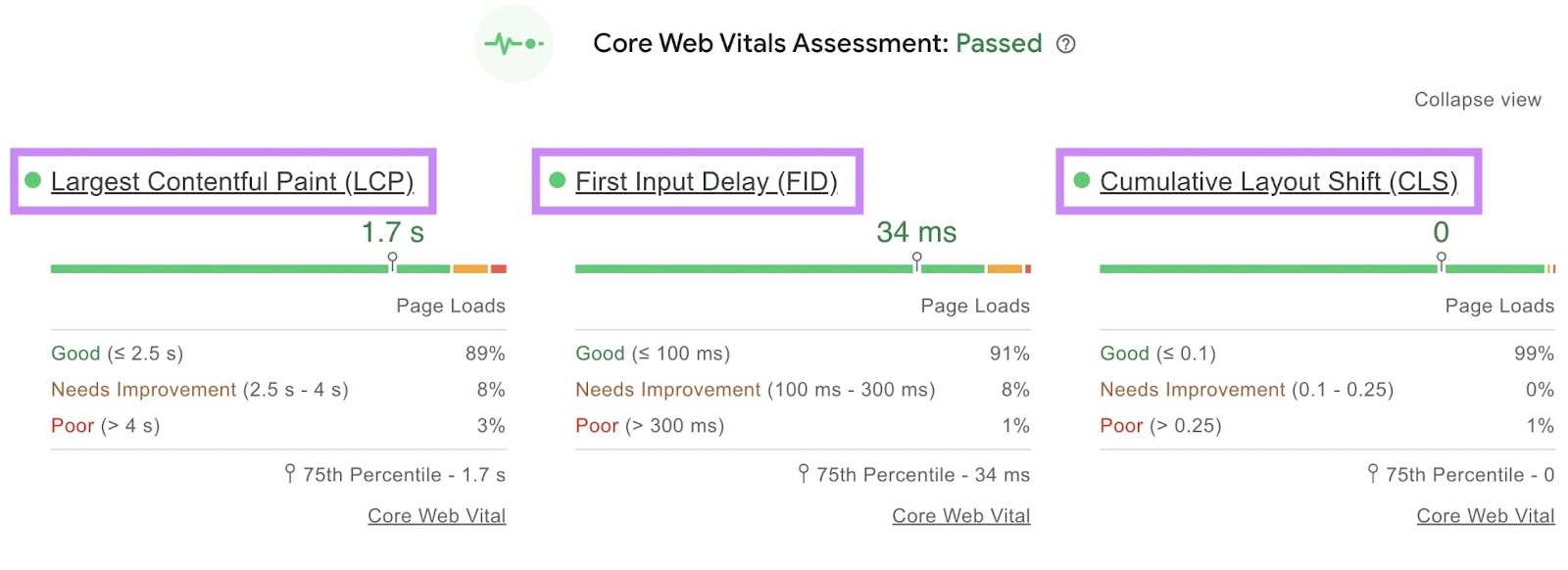
This tool assesses Google’s Core Web Vitals, which are factors that impact page experience.
The Core Web Vitals are:
- Largest Contentful Paint (LCP): amount of time it takes for the main piece of content to load
- First Input Delay (FID): amount of time it takes for your website to respond to the first interaction from a user (like a click on a link)
- Cumulative Layout Shift (CLS): amount your webpage shifts (or “moves down”) as more content (e.g., banners, images) loads
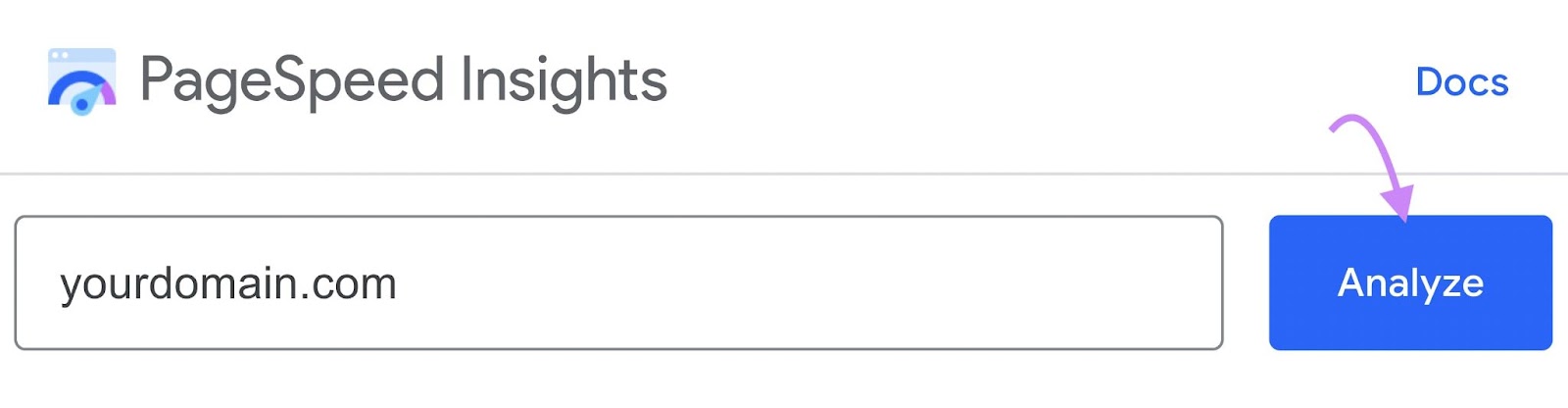
To get started, enter your URL and click the “Analyze” button:
Here’s what the report looks like:
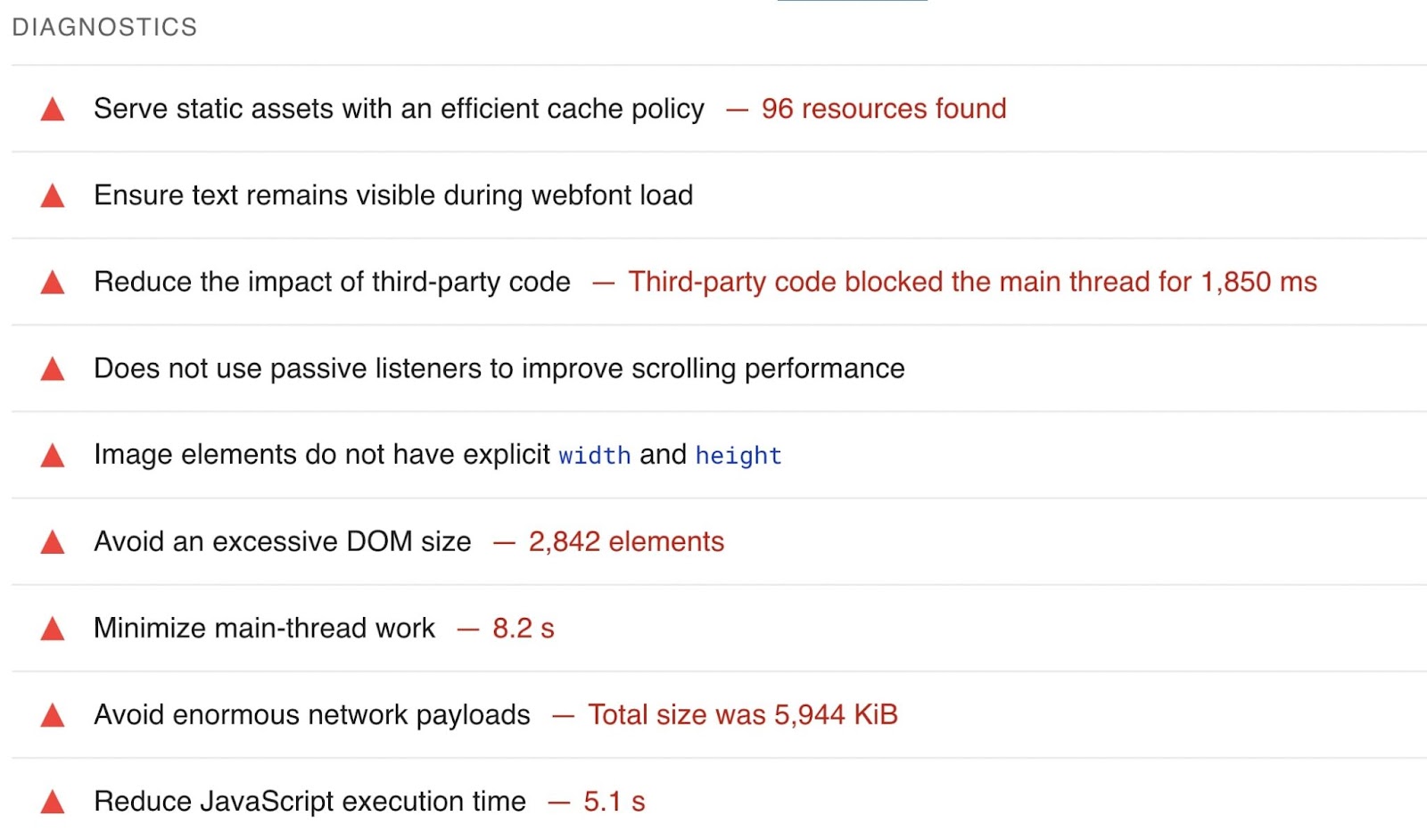
And here’s the full list of errors that might slow your site down:
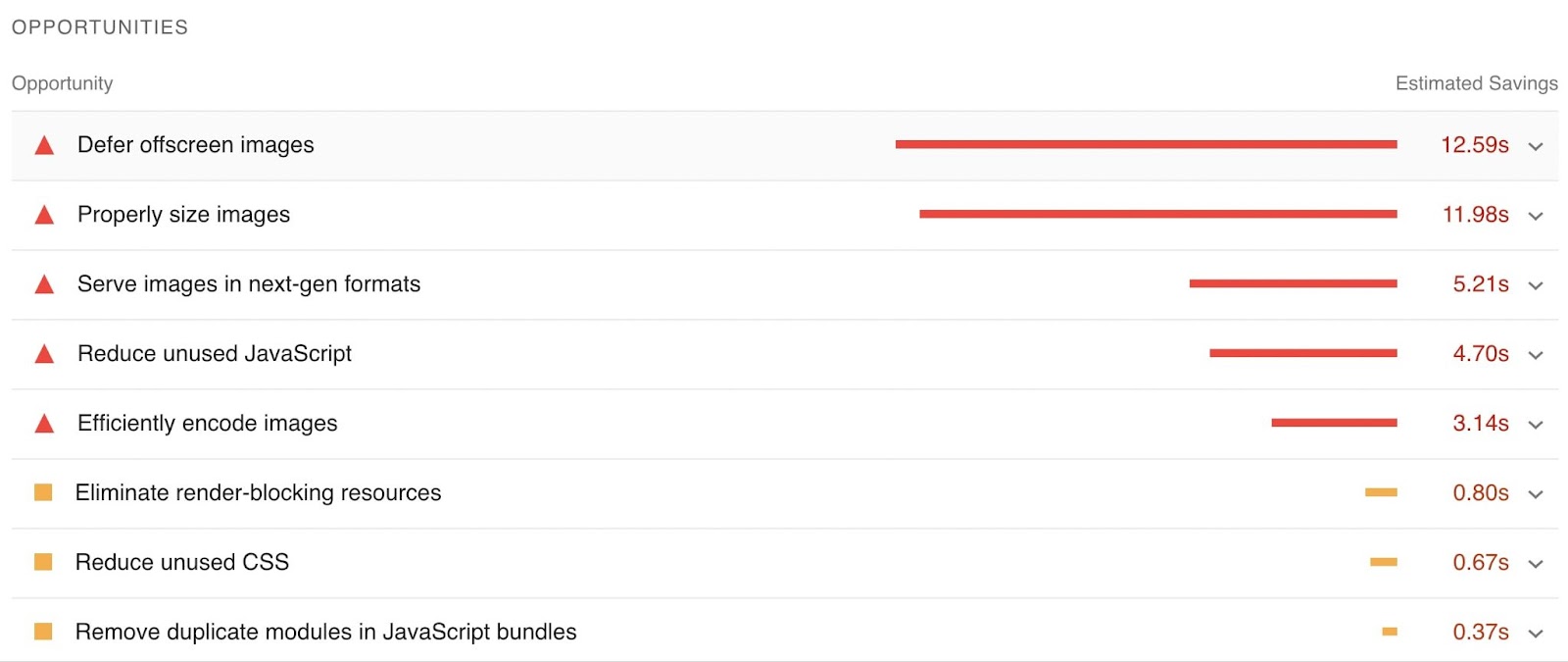
There’s also an “Opportunities” report that gives suggestions for improvement:
For more in-depth information on technical errors, you can use Site Audit.
Target Featured Snippets
Because featured snippets appear in “position zero” above other organic results, they can help boost your click-through rate (CTR).
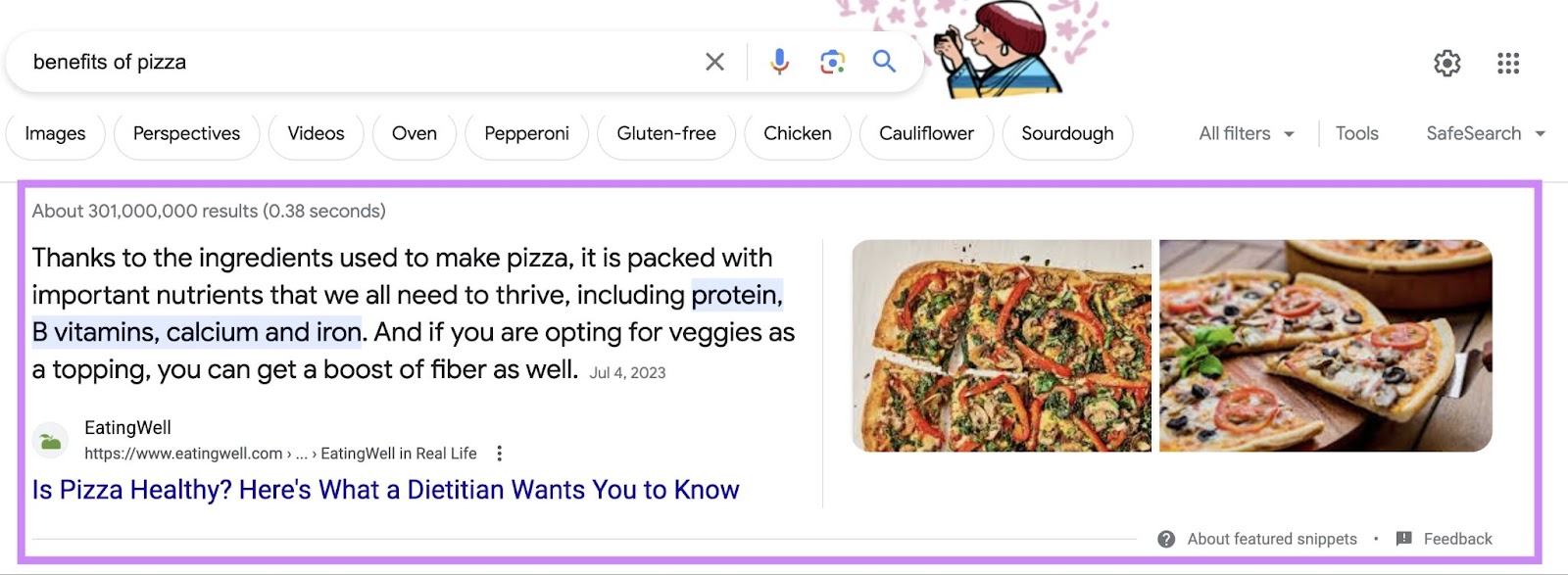
There are different forms of featured snippets, including:
- Definitions
- Tables
- Lists
- Videos
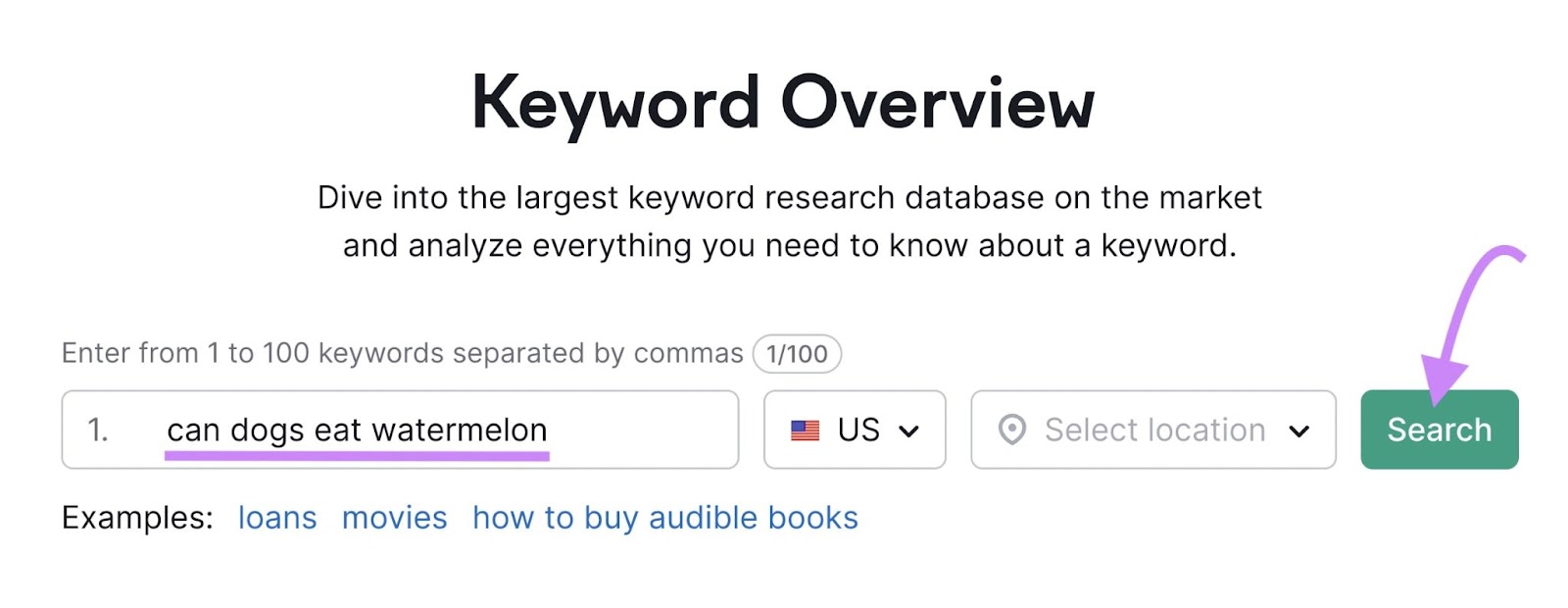
To check if a keyword has a current featured snippet, go to Keyword Overview. We’ll use the example “can dogs eat watermelon.”
Enter your keyword and click “Search.”
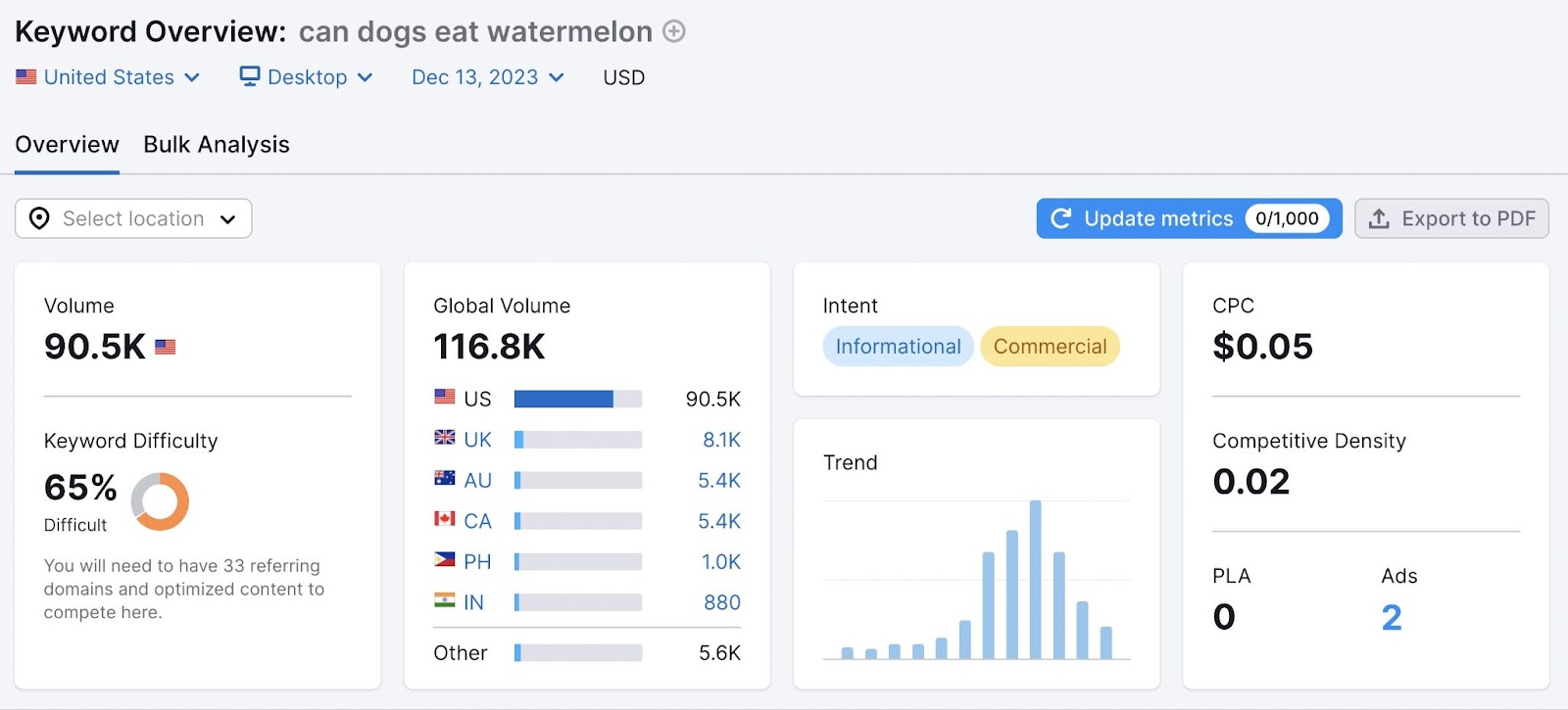
You’ll see information about search volume, keyword difficulty, and more.
Scroll down to the “SERP Analysis” section of the page.
To the right of this graph, you’ll see a link that says “View SERP.” Click it to view what the SERP looks like for that keyword when it’s not influenced by location, user behavior, etc.
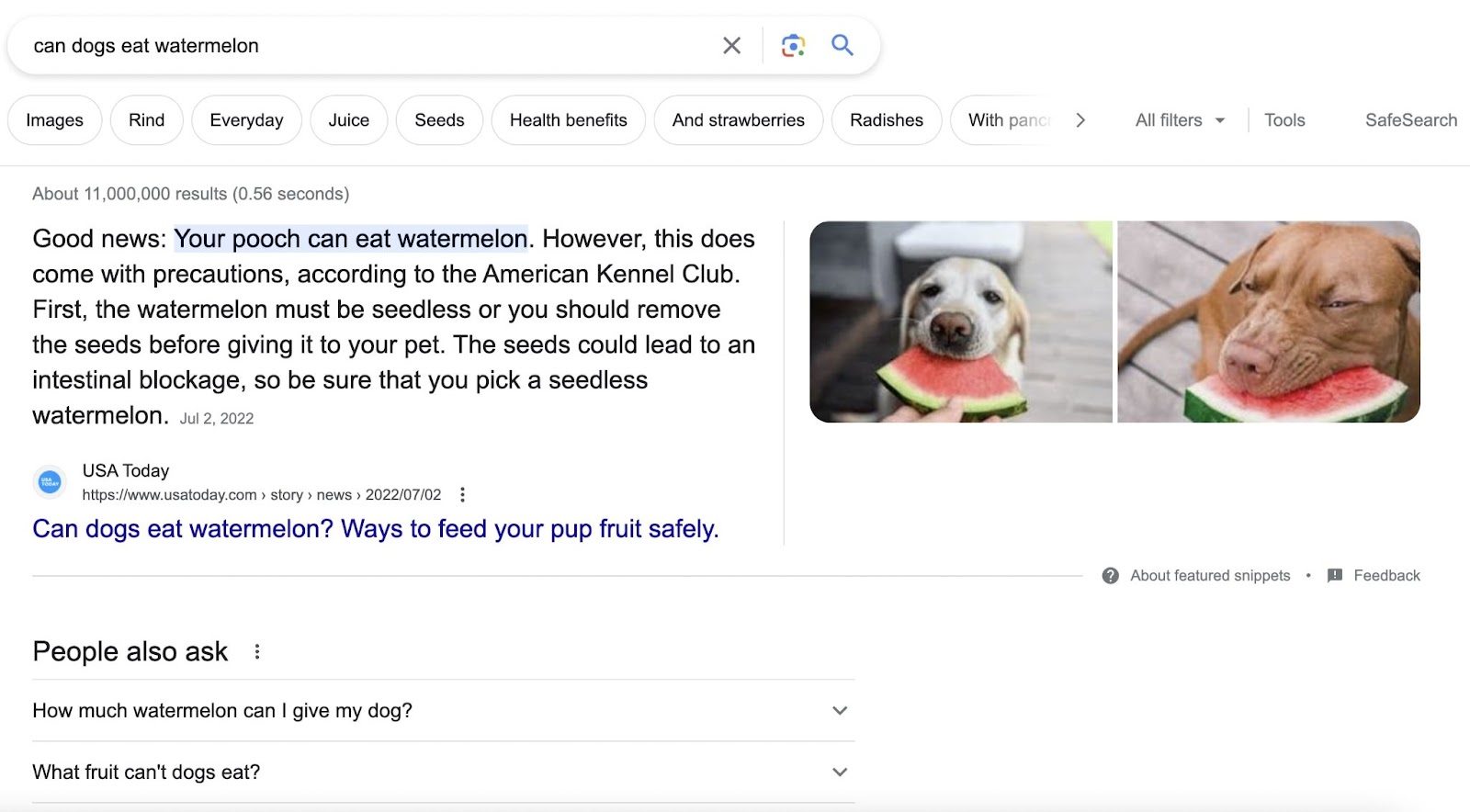
Now we can see that “can dogs eat watermelon” does indeed have a featured snippet. And which pages are ranking underneath that.
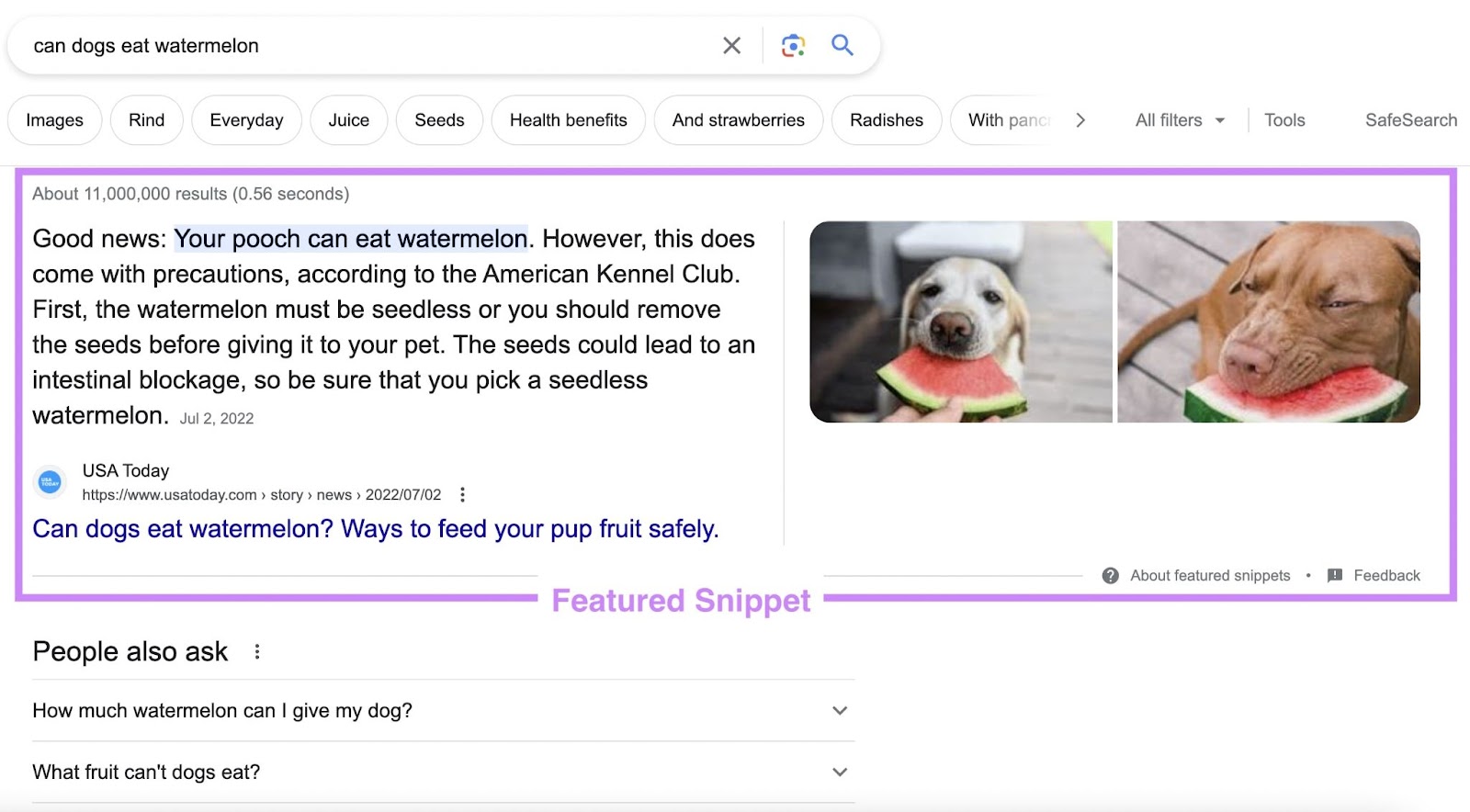
If you want to take the top spot, update (or create) your own page following on-page SEO best practices.
Some ways to target a featured snippet include:
- Answering the query in a concise, user-friendly way
- Understanding (and catering directly to) the user’s search intent
- Formatting the answer accordingly—could be a quick one- or two-sentence answer, a table, a video, etc.
Add Schema Markup
Schema markup allows search engines to better understand information on your website.
It adds code to a page that better communicates the page topic. So you can convey to search engines that your page is about an event, contains a recipe, etc. And the SERP result can reflect that.
Using schema can provide rich snippets in the SERP. They look like this:
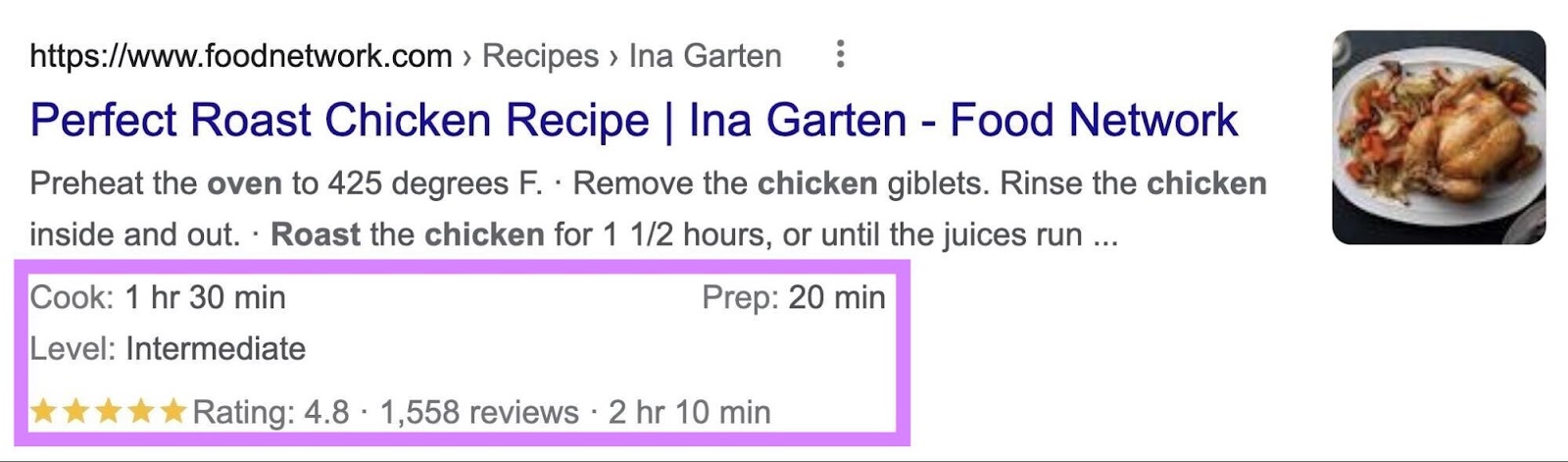
In addition to taking up more valuable space on the SERP, schema markup also can improve your page’s organic CTR.
The above example uses recipe schema markup. But you can add many different types to your pages.
Common types of schema include:
- Reviews
- Products
- Events
- People
- Local businesses
And more.
You can find information on every type at Schema.org.
Let’s look at an example of schema markup in action. Say you type “new york events near me” into Google.
The top of the SERP looks something like this:
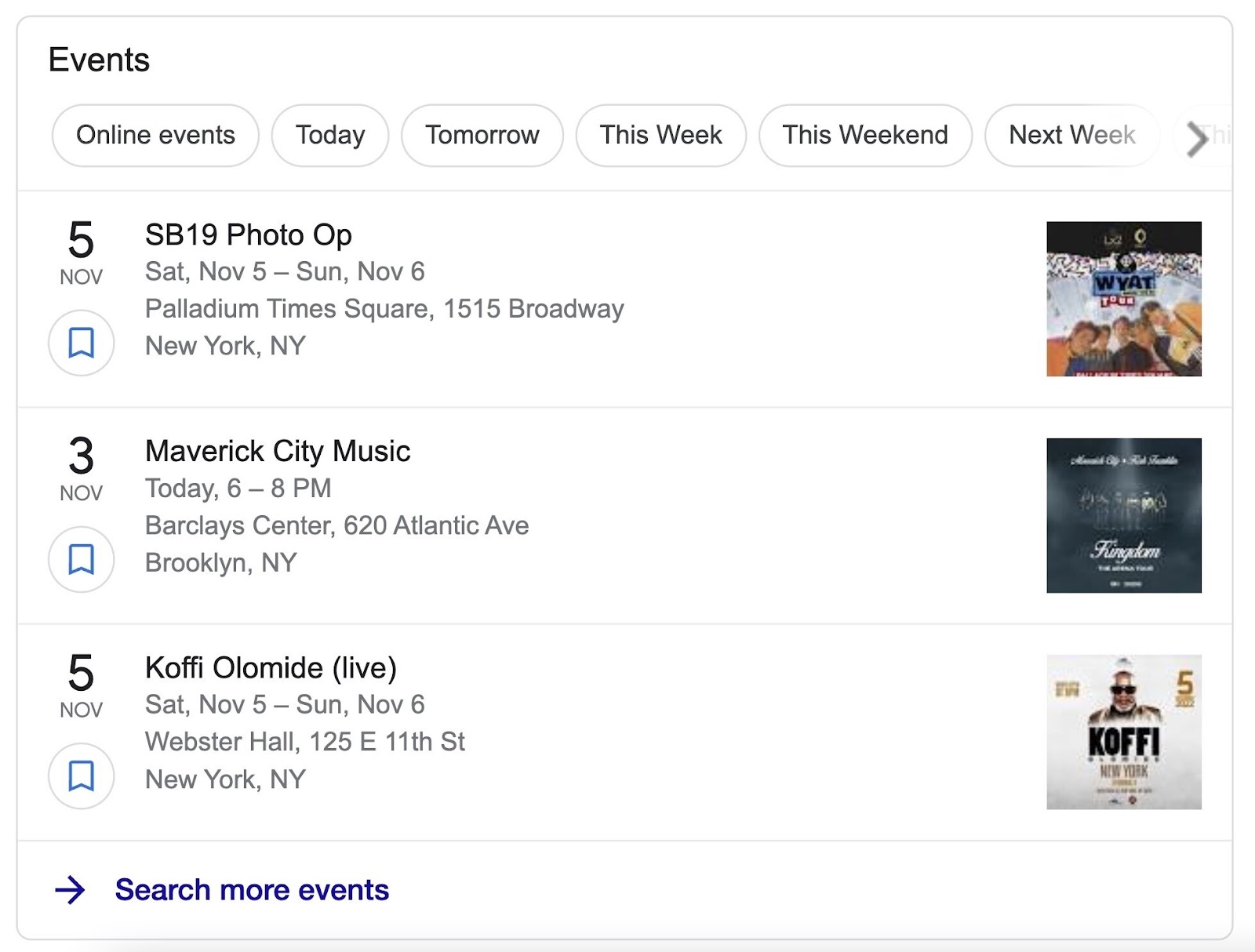
To better your chances of showing up above the normal search results like this, you can use “Event” schema markup.
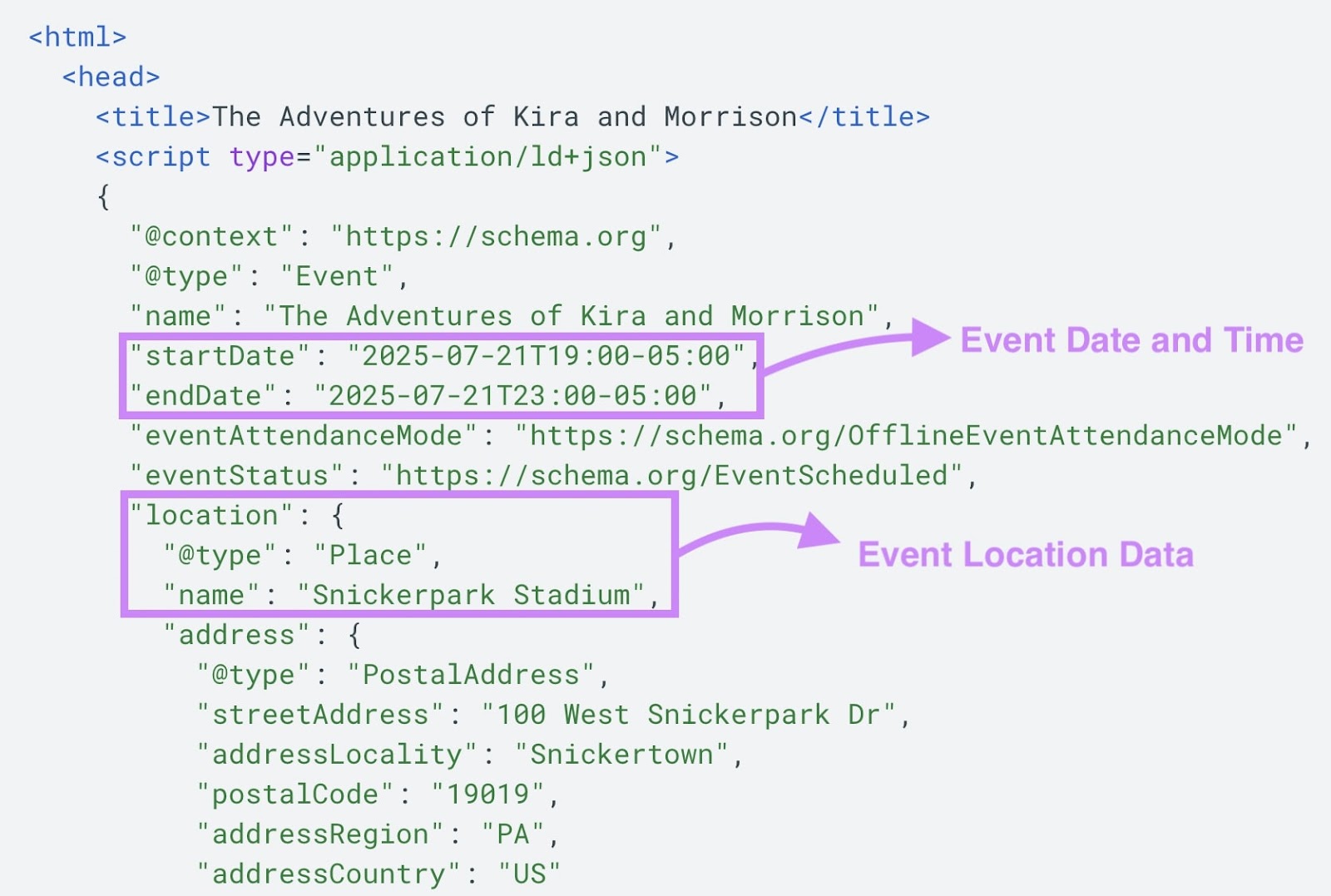
Which communicates the event date, address, and location to Google.
Google may then feature these events above other results because they’re more useful.
Here’s Google’s resource on adding Event structured data. And here’s what the Event schema might look like in your page’s code:
You can use Site Audit to check if you’ve implemented structured data correctly.
You’ll see a report labeled “Markup” under “Thematic Reports.”
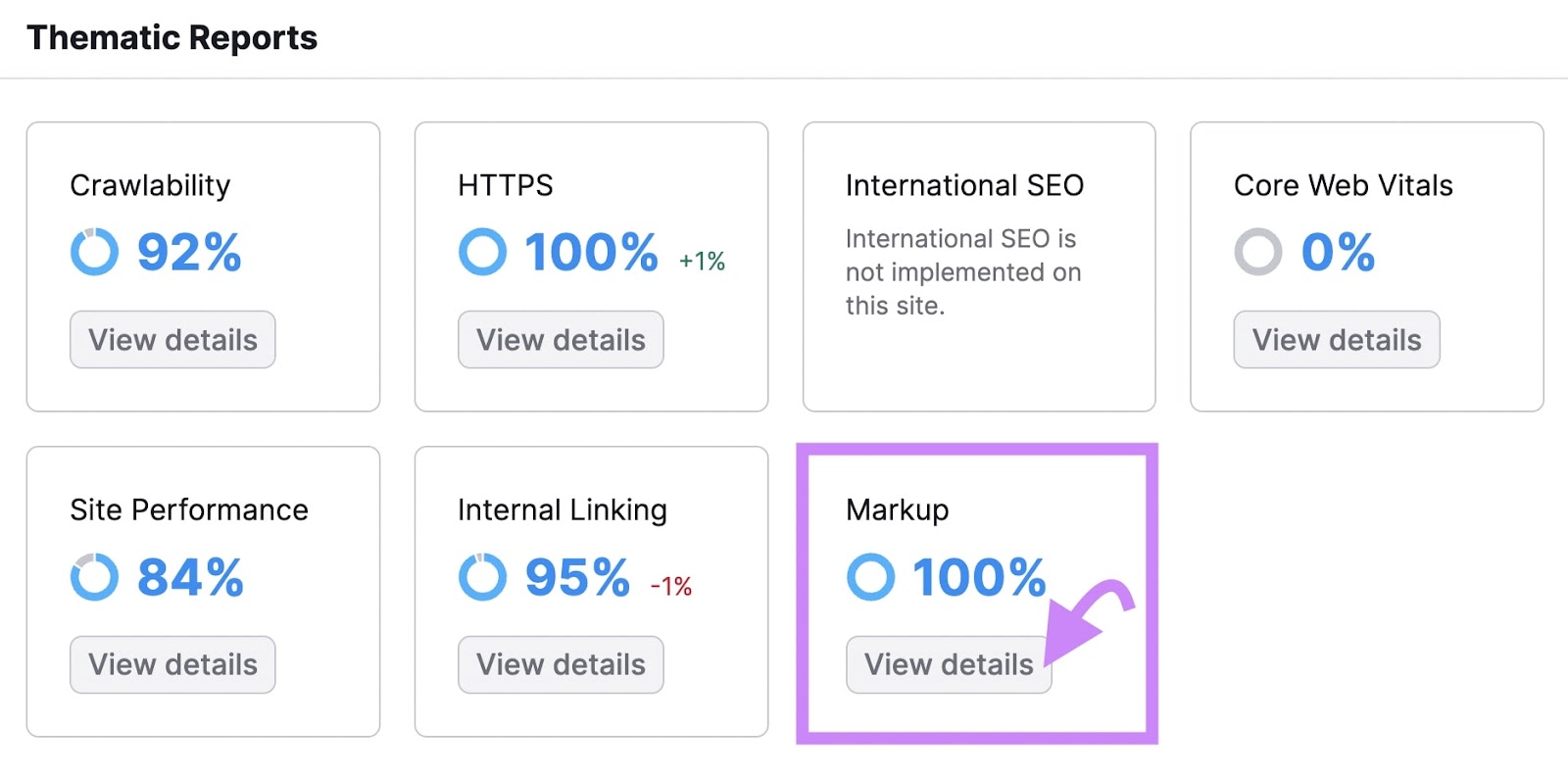
Click the “View details” button.
Site Audit will score any pages that have schema markup, break down pages by schema type, and alert you of any existing issues.
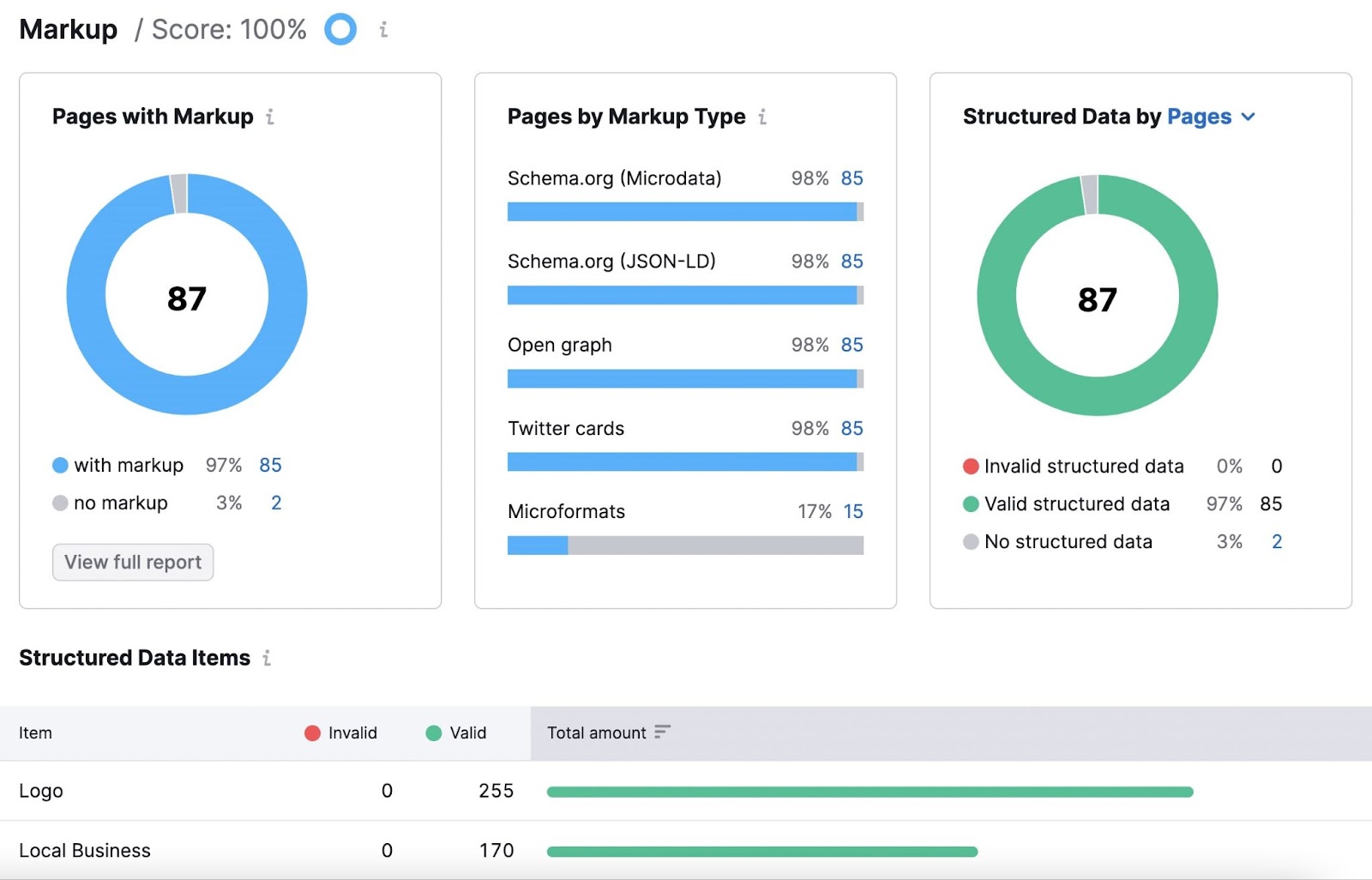
If Site Audit does flag any issues with your markup, we recommend running those individual pages through Schema.org’s markup validator. It’ll let you know if you’ve implemented the markup properly.
Further reading: What Is Schema Markup & How to Implement Structured Data
2. Implement Proven On-Page SEO Techniques
Now that you know what on-page SEO is, it’s time for you to take action.
Execute on the techniques mentioned earlier, and you’ll be on your way to better rankings and traffic.
Start by signing up for a free Semrush account (no credit card needed).
You’ll get access to On Page SEO Checker. But you’ll also be able to:
- Do keyword research
- Analyze your competitors
- Track your keyword rankings
- Run a site audit
And more.